Test Flakiness Detector
Detect unreliable tests by running them multiple times and tracking failure rates.
Overview
Test Flakiness Detector helps identify non-deterministic tests by running your test suite multiple times and analyzing the results. It's framework-agnostic and works with any test command.
Three-tier API design provides the right tool for every scenario:
detect()— Full detection with detailed reports (debugging, analysis)isFlaky()— Fast boolean check for CI gates (pre-merge validation)compileDetector()— Pre-compiled detector for repeated use (progressive strategies)
Status:  Production Ready (v0.4.0)
Language: TypeScript
Repository: tuulbelt/test-flakiness-detector
Features
 Framework Agnostic
Works with any test command - Jest, Vitest, Pytest, Cargo, Go tests, or any other test framework. Just provide the test command and run count.
 Three-Tier API
- CLI: Command-line interface with JSON reports
detect(): Full detection API with comprehensive reportsisFlaky(): Fast boolean API optimized for CI/CD gatescompileDetector(): Pre-compiled detector for progressive strategies
 Repeated Execution Analysis
Detects flaky tests by running your test suite multiple times and tracking which tests pass sometimes and fail sometimes.
 Comprehensive JSON Reports
Generates detailed JSON reports with failure rates, individual run results, timestamps, and execution duration for analysis.
 Non-Throwing Result Type
Uses Result<T> pattern for predictable error handling - no try/catch required, type-safe success/failure states.
 Zero Runtime Dependencies
Uses only Node.js built-ins. No npm install required in production.
Quick Start
CLI:
# Clone the repository
git clone https://github.com/tuulbelt/test-flakiness-detector.git
cd test-flakiness-detector

# Install dev dependencies (for TypeScript)
npm install

# Detect flaky tests
flaky --test "npm test" --runs 10
Library (Programmatic):
import { detect, isFlaky } from './test-flakiness-detector/src/index.js'

// Full detection with detailed report
const result = await detect({
  test: 'npm test',
  runs: 10
})

if (result.ok === false) {
  console.error('Error:', result.error.message)
  process.exit(2)
}

if (result.value.flakyTests.length > 0) {
  console.error('⚠️ Flaky tests detected!')
  process.exit(1)
}

console.log('✅ No flakiness detected')
Use Cases
 CI/CD Fast Gates
Use isFlaky() for quick pre-merge validation:
- 5 runs for fast feedback
- Boolean result for simple pass/fail
- Optimized for CI pipeline gates
Debugging & Analysis
Use detect() for comprehensive reports:
- 10-50 runs for detailed analysis
- Full failure rate statistics
- Individual run results for investigation
 Progressive Detection
Use compileDetector() for adaptive strategies:
- Start with 5 runs (quick check)
- Escalate to 15 runs (medium confidence)
- Confirm with 50 runs (high confidence)
 Pre-Release Checks
Ensure test stability before shipping:
- Validate critical test suites
- Track reliability over time
- Prevent flaky tests from merging
Quality Metrics
Monitor test suite health:
- Track failure rates across versions
- Identify tests needing attention
- Measure improvement over time
Why Flakiness Detection?
Flaky tests undermine confidence in your test suite:
- False Positives: Tests fail even when code is correct
- Wasted Time: Developers re-run tests or investigate non-issues
- Reduced Trust: Teams start ignoring test failures
- Hidden Bugs: Real failures get dismissed as "just flaky"
- CI/CD Friction: Builds fail randomly, blocking deployments
This tool helps you identify and fix flaky tests systematically.
Demo
See the tool in action:
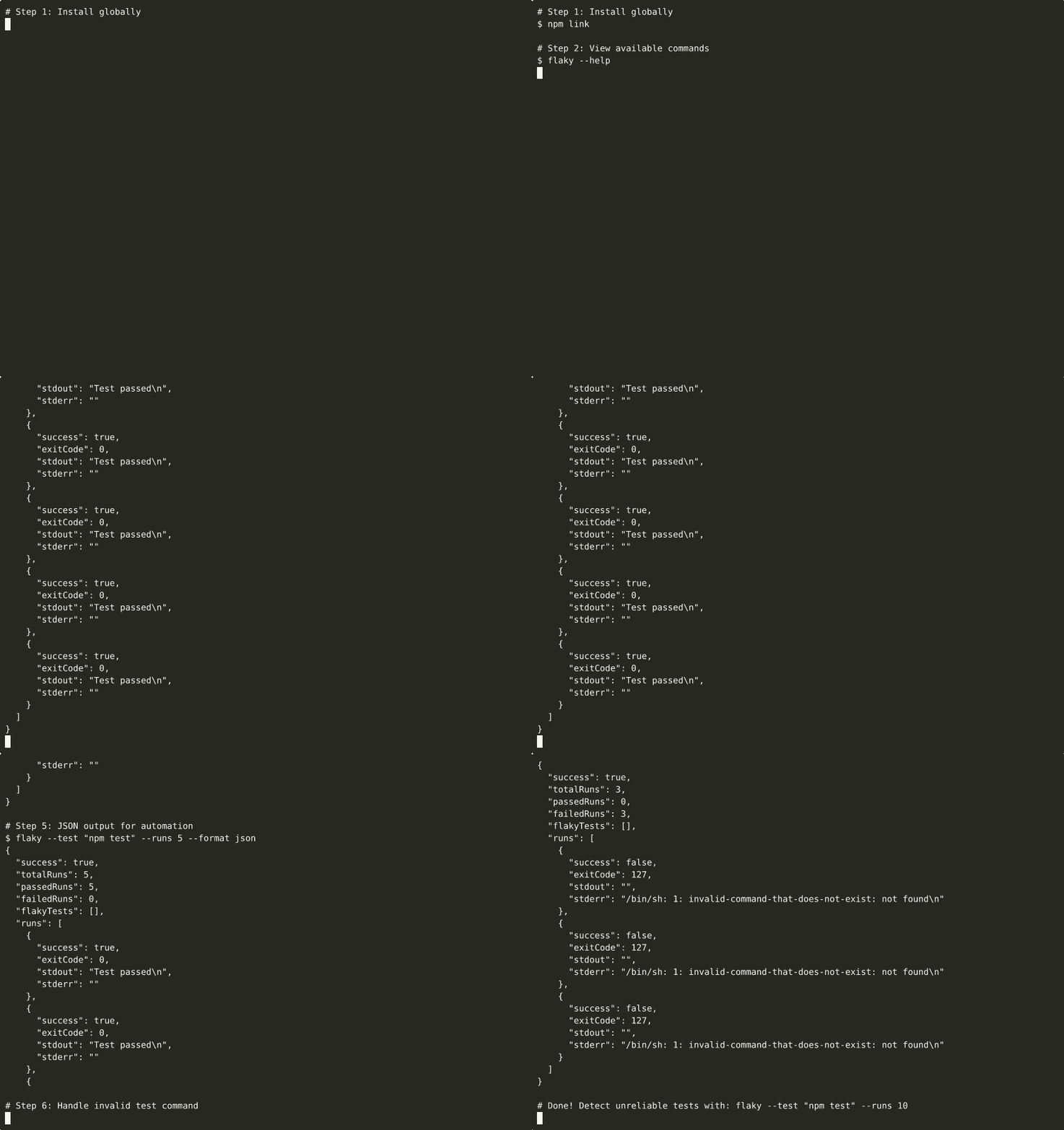
▶ View interactive recording on asciinema.org

Run the detector directly in your browser with zero setup. Test different commands, adjust run counts, and explore flakiness detection patterns.
Demos are automatically generated via GitHub Actions when demo scripts are updated.
Next Steps
- Getting Started Guide - Installation and setup
- CLI Usage - Command-line interface
- Library Usage - TypeScript/JavaScript API
- Examples - Real-world usage patterns
- API Reference - Complete API documentation
License
MIT License - see repository for details.