File-Based Semaphore
Cross-platform file-based semaphore for process coordination. Lock resources reliably across processes with zero dependencies.
Overview
File-Based Semaphore provides cross-platform process coordination using lock files. It handles stale lock detection, supports both blocking and non-blocking acquisition, and works across different programming languages. Built in Rust for performance and reliability.
Status:  Production Ready (v0.1.0)
Language: Rust
Repository: tuulbelt/file-based-semaphore
Features
 Atomic Locking
Acquire locks atomically using O_CREAT | O_EXCL. No race conditions in lock acquisition.
 Stale Detection
Detect and recover from stale locks with configurable timeouts. Handle crashed processes gracefully.
 RAII Guards
Use Rust's ownership system for automatic lock release. Guards ensure locks are released even on panic.
 Cross-Platform
Works on Linux, macOS, and Windows. Uses portable file operations only.
 CLI & Library
Use as a command-line tool for shell scripts or integrate as a Rust library in your applications.
 Zero Runtime Dependencies
Uses only Rust standard library. No external crates required at runtime.
Quick Start
# Clone the repository
git clone https://github.com/tuulbelt/file-based-semaphore.git
cd file-based-semaphore

# Build
cargo build --release

# CLI: Try to acquire a lock
./target/release/sema try /tmp/my.lock

# CLI: Check status
./target/release/sema status /tmp/my.lock

# CLI: Release
./target/release/sema release /tmp/my.lock// Library usage
use file_based_semaphore::{Semaphore, SemaphoreConfig};
use std::time::Duration;
let config = SemaphoreConfig {
stale_timeout: Some(Duration::from_secs(60)),
..Default::default()
};
let sem = Semaphore::new("/tmp/my.lock", config)?;
{
let _guard = sem.try_acquire()?;
// Critical section - only one process here
do_exclusive_work();
} // Lock auto-releasedUse Cases
- Build Coordination: Prevent concurrent builds from conflicting
- Deployment Scripts: Ensure only one deployment runs at a time
- Test Isolation: Coordinate access to shared test resources
- Service Health Checks: Single instance for health monitoring
- Batch Job Coordination: Prevent duplicate batch job runs
Why File-Based Semaphore?
Traditional locking approaches have limitations:
- Database Locks: Require running database server
- Advisory Locks (flock): Platform-specific behavior, don't survive crashes well
- In-Memory Locks: Don't work across processes
- Redis/ZooKeeper: Require external services
File-based semaphores solve these by using simple lock files that:
- Work across any language that can create files
- Survive process crashes with stale detection
- Need no running daemons or services
- Use atomic filesystem operations
Cross-Language Compatibility
 TypeScript Implementation Available
A TypeScript implementation is available: File-Based Semaphore (TS) Both implementations use the same lock file format and can coordinate across languages.
Lock files use a simple text format compatible with any language:
pid=12345
timestamp=1735420800
tag=optional-description
Mixed-language coordination example:
# Rust acquires the lock
sema try /tmp/shared.lock --tag "rust-service"

# TypeScript checks status (reads the same lock file)
semats status /tmp/shared.lock
# Output: Locked by PID 12345 (rust-service)

# TypeScript waits for lock
semats acquire /tmp/shared.lock --timeout 5000
This enables:
- Rust backend services coordinating with Node.js workers
- Shell scripts checking locks created by any language
- Gradual migration between language implementations
Dogfooding
This tool demonstrates composability by being VALIDATED BY other Tuulbelt tools:
Test Flakiness Detector - Validate concurrent safety:
./scripts/dogfood-flaky.sh 10
# ✅ NO FLAKINESS DETECTED
# 85 tests × 10 runs = 850 executions
Output Diffing Utility - Prove deterministic outputs:
./scripts/dogfood-diff.sh
# Test outputs should be identical
Cross-language composition: Rust tools validated by TypeScript tools via CLI.
See DOGFOODING_STRATEGY.md in the repository for details.
Demo
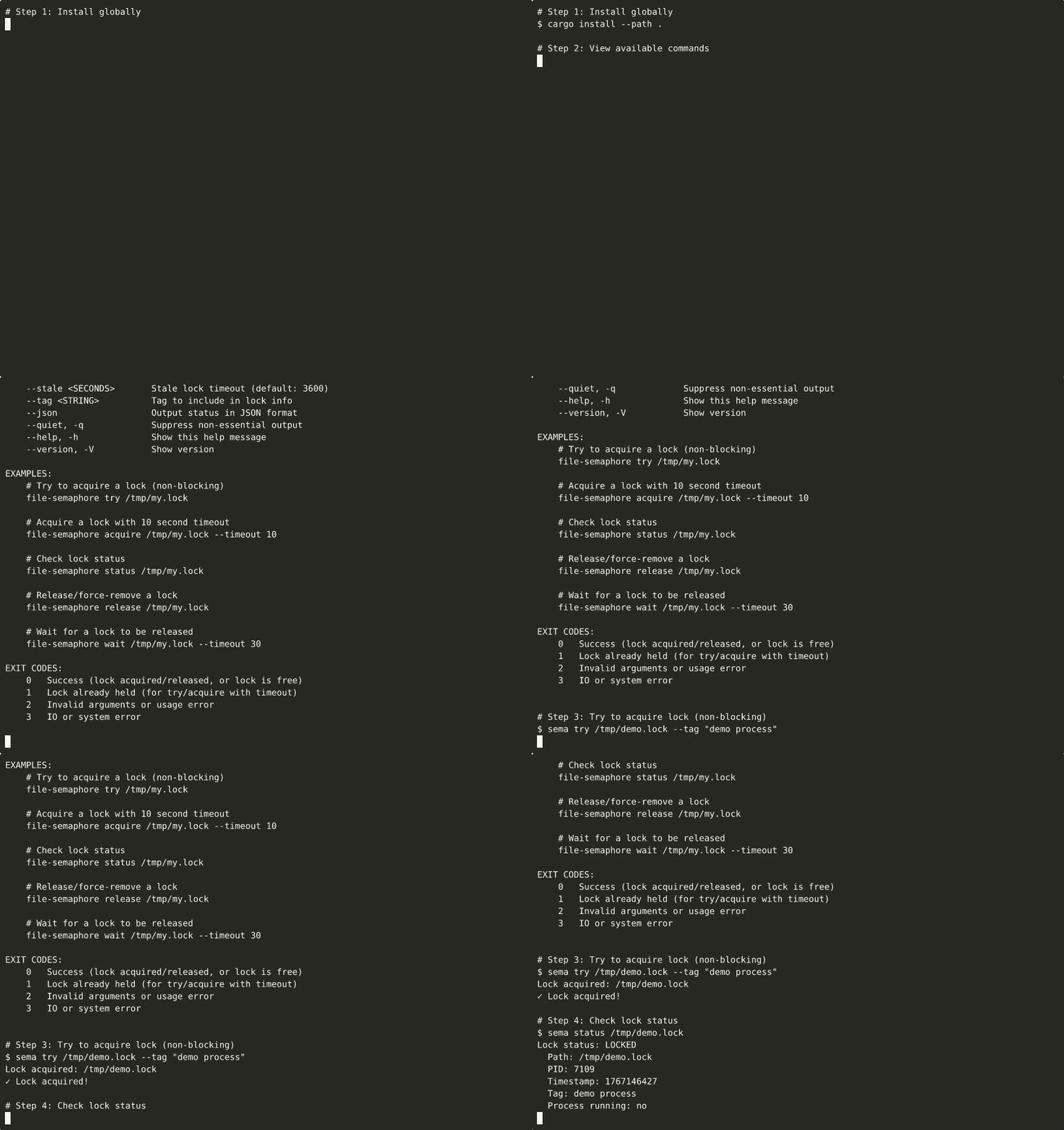
▶ View interactive recording on asciinema.org
Try it Locally
# Clone and build
git clone https://github.com/tuulbelt/file-based-semaphore.git
cd file-based-semaphore
cargo build --release

# Run examples
cargo run --example basic
cargo run --example concurrent
cargo run --example stale_recovery

# Run full demo script
./scripts/demo.sh
Demo recordings are automatically generated via GitHub Actions.
Next Steps
- Getting Started Guide - Installation and setup
- CLI Usage - Command-line interface
- Library Usage - Rust library API
- Examples - Real-world usage patterns
- Protocol Spec - Lock file format specification
- API Reference - Complete API documentation
License
MIT License - see repository for details.