Config File Merger
Merge configuration from ENV variables, config files, and CLI arguments with clear precedence rules and source tracking.
Overview
Config File Merger (cfgmerge) solves the common problem of combining configuration from multiple sources with explicit precedence. It handles environment variables, JSON config files, CLI arguments, and default values—all with zero external dependencies.
Status:  Production Ready (v0.1.0)
Language: TypeScript
Repository: tuulbelt/config-file-merger
Features
 Clear Precedence
Explicit merge order: CLI arguments > Environment variables > Config file > Defaults. No ambiguity about which source wins.
 Source Tracking
Optionally track where each configuration value came from. Know instantly whether a setting came from the command line, environment, file, or defaults.
 Automatic Type Coercion
CLI arguments are automatically parsed: "true" → true, "42" → 42, "null" → null. Quoted strings preserve their type.
 Prefix Filtering
Filter environment variables by prefix (e.g., APP_) with optional case normalization and prefix stripping.
 Zero Runtime Dependencies
Uses only Node.js built-ins. No npm install required in production.
Quick Start
# Clone the repository
git clone https://github.com/tuulbelt/config-file-merger.git
cd config-file-merger

# Install dev dependencies (for TypeScript)
npm install

# Enable global CLI
npm link

# Merge configuration sources
cfgmerge --file config.json --env --prefix APP_ --args "port=3000"
Use Cases
- Application Configuration: Merge defaults, config files, and runtime overrides
- Environment-Aware Deployment: Use env vars in containers, files locally
- CLI Tool Configuration: Accept command-line overrides for any setting
- Configuration Debugging: Track which source set each value
- Twelve-Factor Apps: Environment-based configuration with fallbacks
Precedence Rules
Values are merged in this order (highest precedence first):
- CLI arguments (
--args) — explicit overrides - Environment variables (
--env) — deployment config - Config file (
--file) — application defaults - Default values (
--defaults) — fallback values
Demo
See the tool in action:
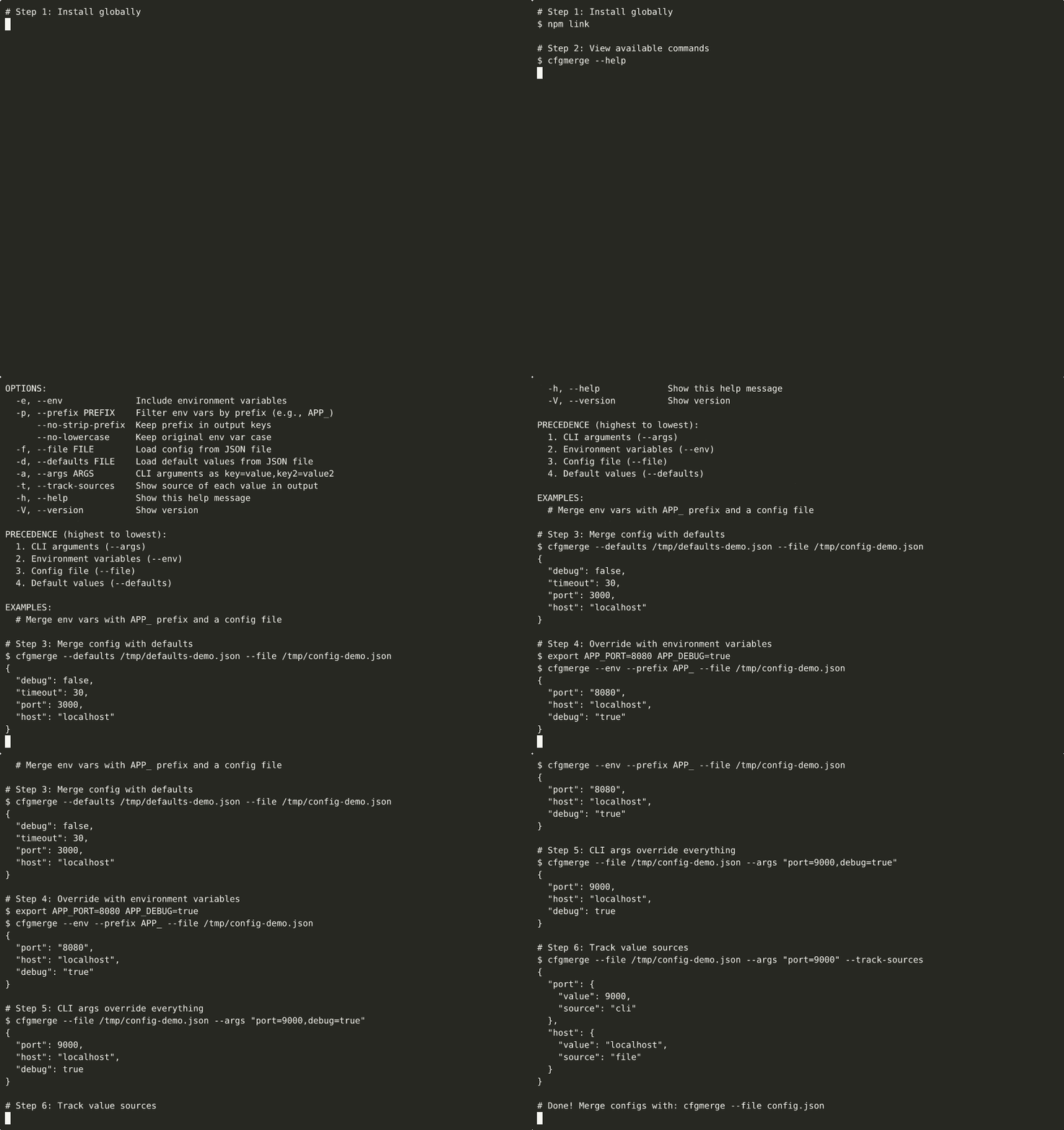
▶ View interactive recording on asciinema.org

Merge configurations directly in your browser with zero setup. Experiment with different sources, precedence, and output formats.
Demos are automatically generated via GitHub Actions when demo scripts are updated.
Next Steps
- Getting Started Guide - Installation and setup
- CLI Usage - Command-line interface
- Library Usage - TypeScript/JavaScript API
- Examples - Real-world usage patterns
- API Reference - Complete API documentation
Related Tools
- Structured Error Handler - Structured error format with context
- Test Flakiness Detector - Detect unreliable tests
License
MIT License - see repository for details.