CLI Progress Reporting
Concurrent-safe progress tracking with file-based atomic writes.
Overview
CLI Progress Reporting provides a simple, reliable way to track progress across multiple concurrent processes. It uses file-based atomic writes to ensure data consistency, making it perfect for parallel workflows, shell scripts, and CI/CD pipelines.
Status:  Production Ready (v0.1.0)
Language: TypeScript
Repository: tuulbelt/cli-progress-reporting
Features
 Concurrent-Safe Operations
File-based atomic writes prevent race conditions when multiple processes update progress simultaneously.
 Multiple Independent Trackers
Track multiple operations in parallel using unique IDs. Each tracker maintains its own isolated state.
 CLI and Library API
Use from command line for shell scripts or import as a library for TypeScript/JavaScript applications.
 State Persistence
Progress state persists across process boundaries. Pick up where you left off after crashes or restarts.
 Zero Runtime Dependencies
Uses only Node.js built-ins. No npm install required in production.
 Dogfooding Validated
Validated using Test Flakiness Detector with 100% pass rate and zero flaky tests. All tests are deterministic and reliable.
Quick Start
# Clone the repository
git clone https://github.com/tuulbelt/cli-progress-reporting.git
cd cli-progress-reporting

# Install dev dependencies (for TypeScript)
npm install

# Initialize a progress tracker
prog init --total 100 --message "Processing files"

# Update progress
prog increment --amount 10

# Check current status
prog get
Use Cases
- Parallel Scripts: Track progress across concurrent shell scripts
- CI/CD Pipelines: Report build/deployment progress
- Data Processing: Monitor long-running batch jobs
- Multi-Stage Workflows: Track progress through multi-step processes
- Progress Bars: Build custom progress visualization tools
Why File-Based?
File-based state management provides several advantages:
- Simple: No external services or databases required
- Portable: Works everywhere - local, CI, containers
- Debuggable: State is plain JSON - inspect with
cat - Recoverable: State persists across process crashes
- Concurrent-Safe: Atomic rename operations prevent corruption
Demo
See the tool in action:
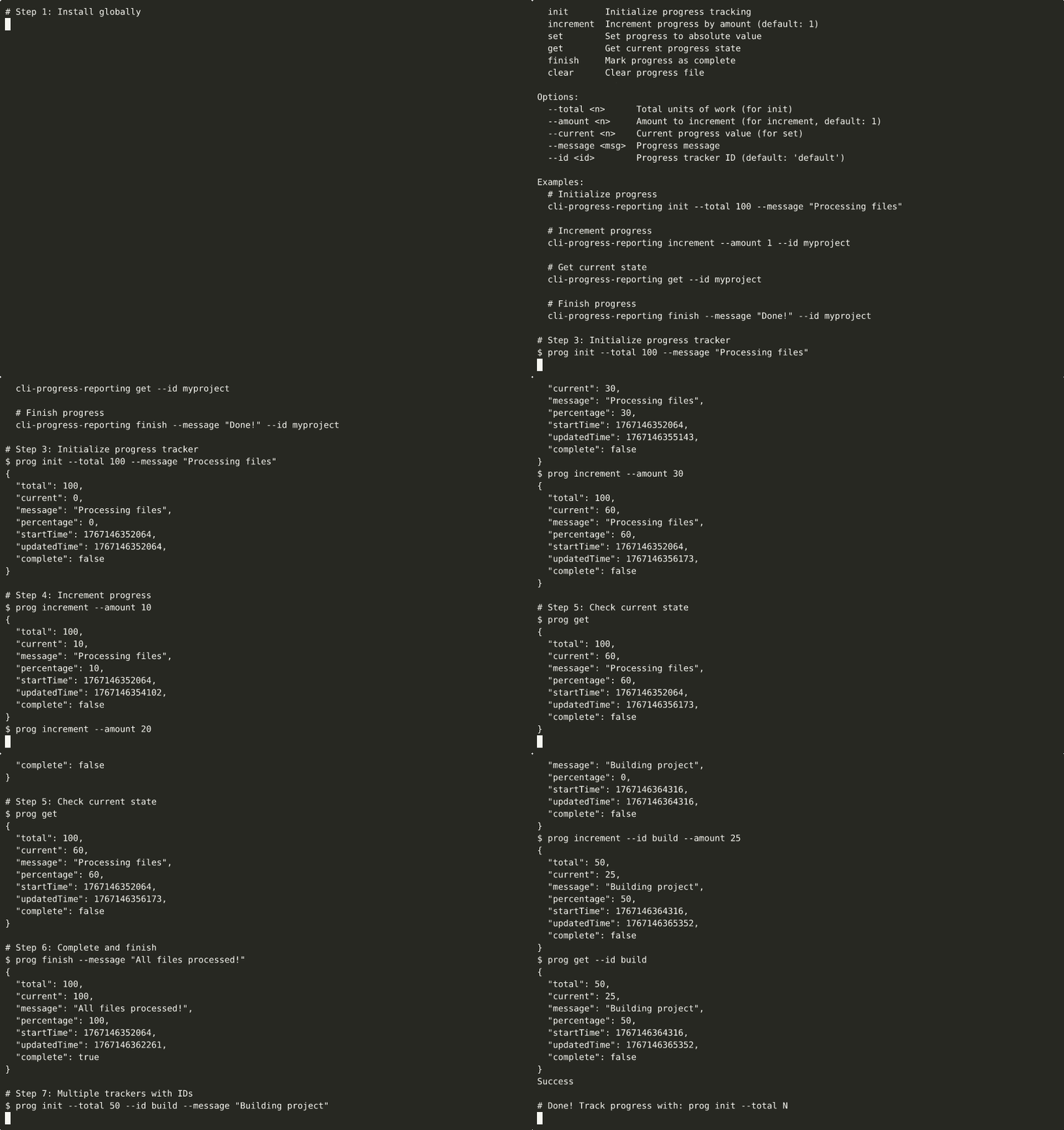
▶ View interactive recording on asciinema.org

Run the tool directly in your browser with zero setup. Initialize trackers, update progress, and explore concurrent-safe operations.
Demos are automatically generated via GitHub Actions when demo scripts are updated.
Next Steps
- Getting Started Guide - Installation and setup
- CLI Usage - Command-line interface
- Library Usage - TypeScript/JavaScript API
- Examples - Real-world usage patterns
- API Reference - Complete API documentation
- Dogfooding Validation - How we validate reliability
License
MIT License - see repository for details.